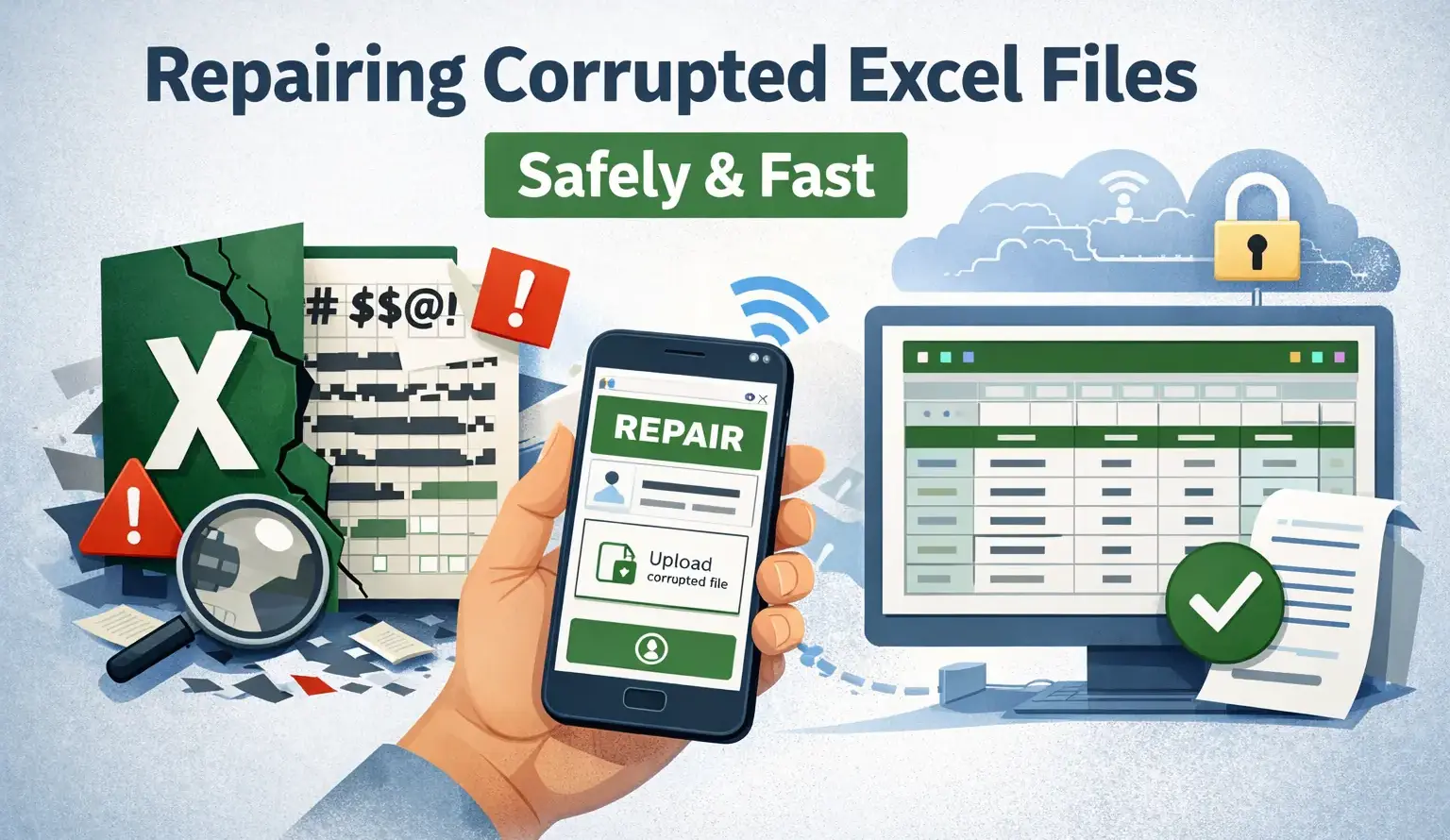
Opening a crucial spreadsheet and discovering a jumble of characters just hours before a deadline is a nightmare. Finding ways how to repair corrupted Excel files online isn’t just a fun technical trick, but your primary insurance policy when months of data suddenly stops loading. This silent crisis costs businesses thousands of dollars in lost productivity every week. Every corrupted spreadsheet represents hours of irreparable human effort unless you take decisive action.
If you’re currently dealing with a damaged spreadsheet, download our Excel File Recovery Checklist — a simple guide that walks you through the safest way to repair corrupted files without risking additional data loss. You can use it while following the steps in this article.
If you don’t understand the common causes of documents corruption, find suitable free tools, or usebuilt-in recovery features today, you risk permanently deleting your data. We’ll fix your file before the damage becomes irreversible.
Understanding Excel File Corruption
Data doesn’t just crash out of spite. Understanding the root cause of spreadsheet crashes is a crucial step to never losing important information again. Before diving into technical causes, many users first search for how to repair corrupted excel files online, especially when a critical spreadsheet suddenly stops opening.
Before attempting any recovery method, it’s important to understand what actually causes Excel documents to become corrupted. This video explains common issues—from sudden system crashes to saving errors—and shows basic troubleshooting steps.
Common Causes of Excel File Corruption
Most basic guides blame user error, but this rarely tells the whole story. In reality, it’s usually your system environment that’s failing you. To understand how to repair corrupted excel files online, you first need to determine the exact cause of the problem.Power surges, forced reboots, and network timeouts often disrupt the formatting of XML data. This is exactly when many users begin looking for how to repair corrupted excel files online without installing additional software.
- Network interruptions during saving: Saving a 50 MB data set to a shared network drive during a Wi-Fi outage will immediately corrupt the document.
- Third-party plugin conflicts: Outdated add-ons often attempt to simultaneously write conflicting scripts, resulting in data breaks.
- Unclear shutdown: Forcing a laptop to shut down while calculating complex formulas in Excel causes permanent damage to temporary files.
If you’re constantly searching for how to repair corrupted excel files online, your hardware may actually be the root of the problem. A bad hard drive sector can silently corrupt data over the course of weeks.
Signs Your Excel File is Corrupted
A neat warning window won’t always appear. Sometimes the symptoms can be downright strange. Your graphs might disappear. The formatting might look completely unnatural. Or, worse, the app might simply freeze the moment you tap the icon. At that moment, understanding how to repair corrupted excel files online becomes essential to avoid losing valuable information.
Studies on business data loss show that two-thirds of companies have experienced significant data loss incidents, highlighting how common data corruption and system failures have become.
You may notice a sharp decrease in document size—a clear sign that data has been deleted. If you experience these symptoms, you should immediately learn how to repair corrupted Excel files online before automatic background saving overwrites the damaged documents.
Preventing future file corruption
Stop treating your local hard drive as an invulnerable storage device. The easiest way to avoid the need for free online Excel file recovery is to practice basic digital hygiene. Don’t let documents exceed 100 MB in size if you can break them into smaller, linked workbooks.
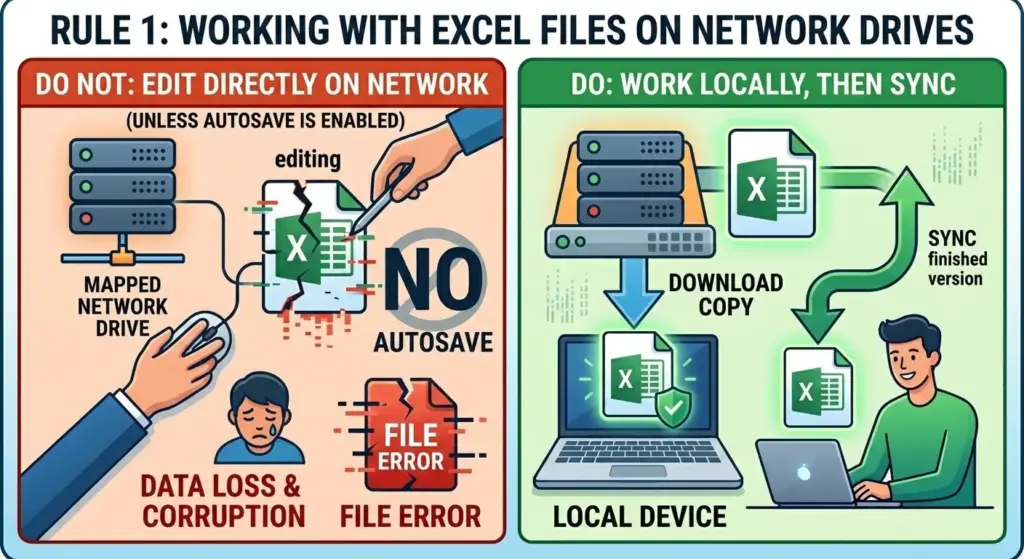
Network latency is a silent killer of complex spreadsheets. Save your data locally first. It sounds tedious, but it completely eliminates the latency that causes 80% of header corruption.
Tools Repair Corrupted Excel Files Online Free
When disaster strikes, you don’t always need an expensive IT consultant standing over your head. The internet is full of utilities designed for users who want to quickly learn how to repair corrupted excel files online in just a few minutes. Many of these services allow users to repair corrupted excel files online free without installing additional software.
Overview of Free Excel File Repair Tools
You’ll find dozens of web portals claiming to have a magic solution. Is it true? Only a few actually work without damaging the original formatting. To truly understand how to repair corrupted excel files online, you need to know which platform you can trust with your sensitive data.
If you’re comparing different recovery utilities, it’s helpful to understand how dedicated repair tools work for both .xls and .xlsx formats. This guide breaks down the capabilities of specialized Excel recovery software and explains when these tools outperform basic online services:
Before uploading your sensitive data, let’s compare two popular free Excel file recovery methods so you can make an informed choice.
| Criterion | Cloud-based recovery portals | Open source format converters |
|---|---|---|
Processing speed | For most standard cases this takes less than 2 minutes.. | A manual, clumsy and potentially labor-intensive process. |
| Data privacy | Requires uploading data to a third-party server. | Stores data exclusively locally and ensures strict confidentiality. |
| Success rate | High score for minor header corruption and XML file breaks. | Excellent for recovering original text and numerical data. |
Cloud portals clearly win in terms of convenience and speed, but open-source converters reliably protect your sensitive data from external servers. Choose based on your data privacy.
Features to Look for in an Online Repair Tool
Not all browser-based tools are created equal. Choosing the right free excel file repair platform requires evaluating security, preview capabilities, and formula preservation. If you want to master how to repair corrupted excel files online, you need to look for tools that include specific recovery features. Don’t settle for basic text extraction.
- Preview capabilities: You don’t need to pay or download a document to check whether a free Excel file recovery program actually worked.
- Formula preservation: Many cheap tools preserve the original text but completely destroy complex VLOOKUP functions.
- Secure deletion policies: The platform should clearly state that it deletes your uploaded spreadsheets within 24 hours.
Always check the privacy policy page. If they don’t explicitly promise to destroy your data, run away as fast as you can.
Pros and Cons of Using Free Repair Tools
The main advantage is obvious: you don’t need a corporate credit card. Many platforms promise to repair corrupted excel files online free, but their reliability can vary significantly. You can find a way to recover corrupted Excel files online from any device, even a tablet at the airport. But here’s the catch. Free services often limit sizes to 10 MB. During peak hours, they can significantly reduce processing speed. If your data set contains unpublished financial forecasts, uploading it to an unknown server is a huge risk. Weigh the immediate cost of data loss against the long-term risk of information leakage.
Step-by-step instructions: How to Repair Corrupted Excel Files Online Free
Taking action requires a clear and error-free process to avoid making the situation worse. Carefully following this sequence of steps will ensure you don’t accidentally overwrite any remaining undamaged data.
If your spreadsheet refuses to open, a structured repair process can often recover the data. This tutorial demonstrates practical steps to repair a corrupted Excel workbook and safely restore the data without damaging the original document.
Selecting the Right Online Tool for Your Needs
Placing your document in the first Google search result is foolhardy. You need a platform that’s tailored to your specific crisis situation.
“There are two types of companies: those that have lost data and those that will.”
— Robert Mueller
Check recent user reviews. Anyone researching how to repair corrupted excel files online should also check encryption standards and recovery success rates. To learn how to recover corrupted Excel files online, you need to carefully protect your digital assets before clicking the download button. Look for tools that specialize in .xlsx, not just general document recovery.
Uploading and Repairing Your Excel File
Let’s take a look at the recovery process itself and understand how to repair corrupted excel files online step by step. If you want to successfully recover damaged Excel files online for free, follow this protocol strictly, without skipping a single step. Most modern platforms allow you to repair corrupted excel files online free in just a few steps.
- Create a backup: Before starting any work, make an exact copy of the damaged data. Place it in a completely separate folder.
- Go to the secure portal: Open your chosen free Excel file recovery site in a stable browser with private browsing mode.
- Upload the duplicate: Drag and drop the copied document into the secure SSL-encrypted upload area.
- Run a deep scan: Click “Recover,” and the remote server will analyze the corrupted XML headers.
- View the generated preview: Carefully examine the grid to ensure that your formulas and important text are indeed preserved after extraction.
Never skip the first step. Having a backup in its original form is a must.
Downloading and Verifying the Repaired File
When the progress bar reaches 100%, the task is technically not yet complete. You need to securely download this data.
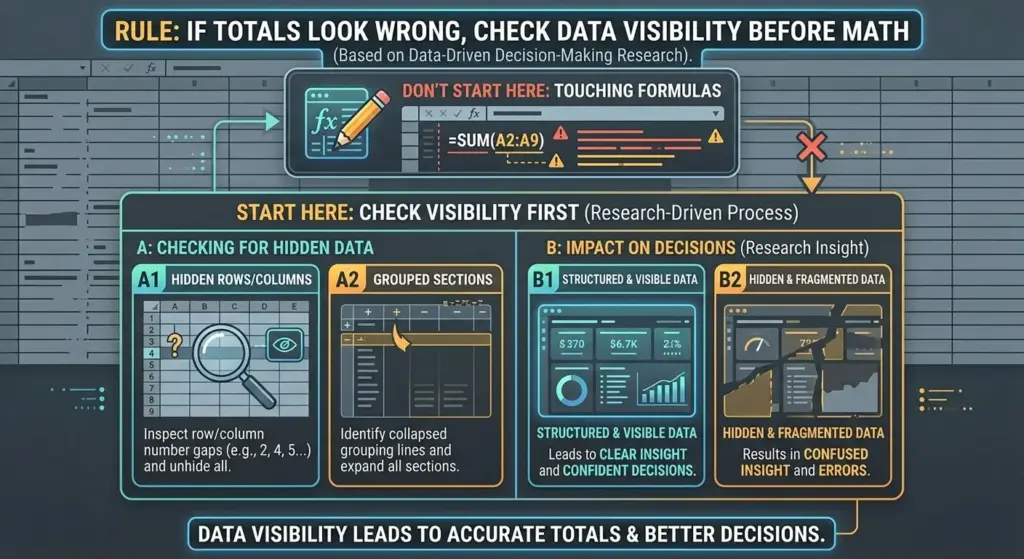
Open the new document locally. Check any embedded macros. Spot-check random cells to ensure the numbers haven’t shifted down the row. This is how you can recover corrupted Excel files online without risking more serious problems.
Disaster-recovery research emphasizes that backups are only useful if organizations can actually restore the data during an incident.
Troubleshooting Common Issues in Excel File Repairs
Sometimes standard solutions simply fail, leaving you with a frozen screen. When the progress bar freezes or displays incomprehensible code, you need a reliable backup strategy.
What to Do If Online Repair Fails?
So, the portal has returned your data. Don’t panic. Sometimes the damage is too deep for browser-based algorithms. If you can’t figure out how to repair corrupted Excel files online through a website, switch to local solutions. Try uploading the file to Google Sheets. Surprisingly, Google’s import mechanism stubbornly ignores some Microsoft-specific errors and forces the original data to be displayed regardless. This is a brilliant and very effective workaround for free Excel file recovery.
Understanding error messages
Error codes aren’t just an annoying string of symbols; they’re precise diagnostic clues. Knowing how to decipher them makes it much easier to understand how to repair corrupted excel files online successfully.
- “Invalid data format or extension”: This usually means the extension was accidentally renamed from .xlsx to something else due to user fatigue.
- “Excel detected unreadable content”: Indicates damaged XML structure. This is the primary reason you need to recover corrupted Excel files online for free.
- “The data set is corrupted and cannot be opened”: The headers are completely destroyed. You’ll need a very powerful recovery tool.
Don’t just click “OK” and ignore the warning. Write down the exact wording.
Alternative Solutions for Stubborn Files
When even the most modern web tools fail, basic data recovery methods have to be inventive.
Research on enterprise data protection shows that 67.7% of businesses report major data loss incidents, despite believing their systems were secure.
This is why alternative recovery methods—such as opening files in compatible office suites or recovery tools—are often recommended as part of a broader recovery strategy. If traditional portals fail to repair corrupted excel files online free, trying alternative office suites may help extract the remaining data.
OpenOffice doesn’t adhere as strictly to Microsoft’s strict syntax rules. It often loads text while completely ignoring damaged formatting. This is an incredibly useful trick for those diligently searching the internet for ways to recover corrupted Excel files.

Extra Tips for Managing and Protecting Your Excel Files
Fixing a corrupted file is a huge relief, but avoiding a panic attack in the first place is far better. Proper file management hygiene ensures your digital workspace is completely secure.
Regular Backup Practices
You know you need backups. But you’re probably doing it completely wrong.
Studies on disaster recovery show that 60% of small businesses close within six months after a major data loss event if they lack proper backup systems.
This illustrates why reliable backup and recovery testing are essential for any organization.
Stop relying solely on autosave features. For true protection, you need a multi-layered approach.
- Daily local snapshots: Maintain a constantly updated shadow copy on a physical drive.
- Weekly cold storage: Move important documents to an external hard drive that you physically disconnect.
- Strict version history: Forces Excel to save different versions of files instead of overwriting the same file.
This completely eliminates the stress of searching online for how to repair corrupted excel files online during an emergency.
Using Excel’s Built-In Recovery Features
Before searching Google for a free excel file repair tool, check out the Microsoft ecosystem. The “Open and Repair” feature is rarely used. Open a blank Excel workbook. Go to “File,” “Open,” and manually locate the corrupted spreadsheet. Click the small arrow next to the “Open” button. Select “Open and Repair.” It’s surprising how often this instantly resolves the issue. This is the fastest way to recover corrupted Excel files online for free if you use the web version of Office 365.
Exploring Advanced Data Management Tools
If your business works with massive amounts of data, standard solutions for everyday users simply won’t cut it. You need specialized version control systems designed specifically for processing large volumes of tabular data.
“Data protection is a discipline focused on protecting data from loss, corruption, or compromise.”
— Gartner
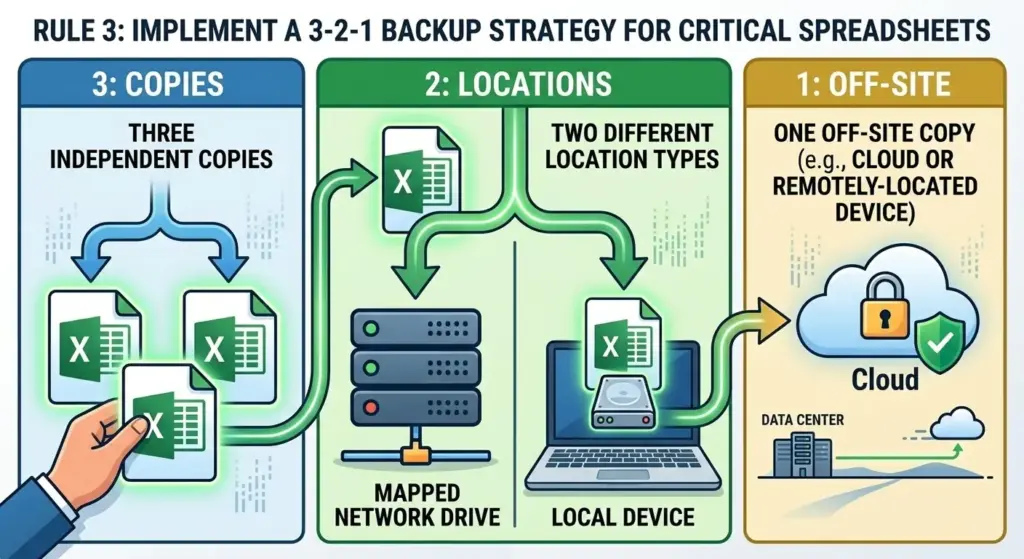
ets: three copies on two different media, one of which is stored completely off-site or in the cloud.
Knowing how to recover corrupted Excel files online is undoubtedly a valuable skill. But the fact that this skill has never been put to practical use? That’s true professional excellence.
FAQs on Repairing Excel Files Online
Even if you already know how to repair corrupted excel files online, you may still have a few questions. Here are the most pressing questions people ask when their spreadsheets suddenly stop working.
Is it Safe to Use Online Repair Tools?
Yes, but only if you thoroughly check the platform beforehand. Reliable services use end-to-end encryption and automatically delete your documents after processing. However, if your spreadsheet contains sensitive client data, HIPAA-compliant patient records, or unpublished financial data, uploading it anywhere carries risks. Always carefully read the fine print in the privacy policy before attempting to recover corrupted Excel files online for free.
How Long Does the Repair Process Take?
Most platforms that repair corrupted excel files online free complete the process within two to three minutes. The actual calculations happen incredibly quickly on dedicated cloud servers. If the loading indicator takes more than ten minutes, the connection has been interrupted or the file is too damaged for this tool. Cancel the download and explore another free Excel file recovery method.
What File Types Are Supported?
Most platforms handle .xlsx, .xls, and .xlsm formats without issue. Some advanced portals even accept .csv with severely damaged delimiters. If you’re learning how to recover corrupted Excel files online, make sure the site supports your specific extension before wasting time uploading a 40 MB document.
How to check if the file is completely fixed?
Open the recovered document and immediately check the most complex formulas. Scroll to the bottom rows to ensure the data hasn’t been mysteriously truncated. Finally, run a quick calculation to ensure the cells actually interact correctly and aren’t just displaying unreadable text. This ensures that your online Excel file recovery strategy has truly worked.
Online Repair vs. Desktop Software: Which is Better?
It all depends on the severity of the problem. Desktop programs are much more powerful and store data locally, making them much safer for strict corporate environments. You can also explore specialized desktop recovery solutions designed for complex corruption scenarios. For example, this detailed guide explains how professional recovery software works and when it becomes necessary.
Online portals are faster and better suited for quickly fixing minor header errors. If you want to recover damaged Excel files online for free, start with the web version, and if that doesn’t work, move on to desktop solutions.
Conclusion: Ensuring Data Integrity and Accessibility
In conclusion, spreadsheet recovery shouldn’t be like playing Russian roulette with your company’s data. Relentless preventative measures are undoubtedly your best defense against catastrophic losses.
Summary of Best Practices
We’ve covered a lot of technical details today. By now, you should clearly understand how to repair corrupted excel files online and when to rely on cloud recovery tools. Let’s boil it down to what’s truly important.
Studies on disaster recovery show that around 60% of small businesses shut down within six months after a major data loss or cyber incident if they cannot recover their data.
Knowing how to recover corrupted Excel files online is only one piece of the puzzle. A comprehensive approach is needed.
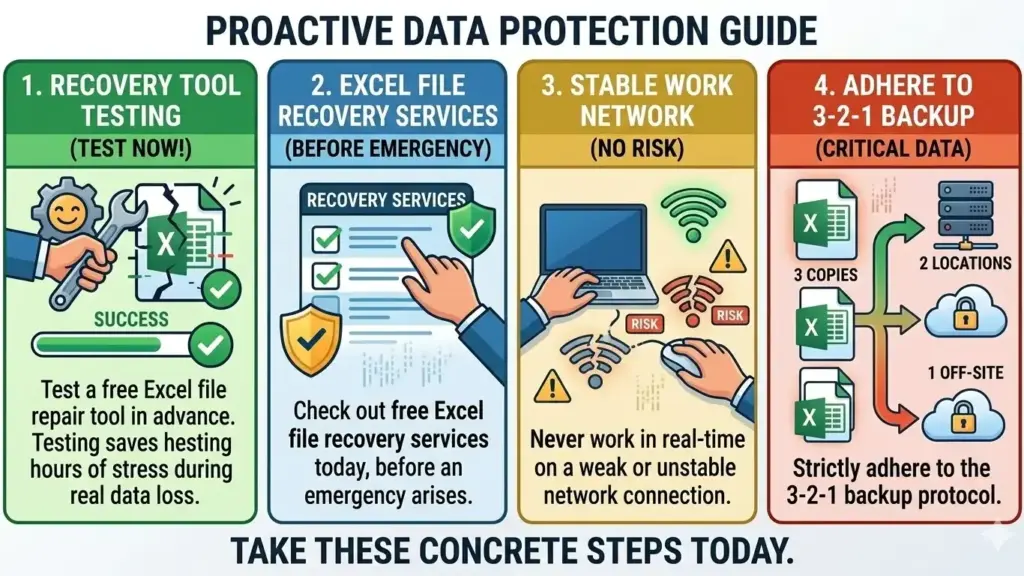
- Strictly adhere to the 3-2-1 backup protocol.
- Check out free Excel recovery services today before an emergency arises.
Testing a free excel file repair tool in advance can save hours of stress during a real data loss incident. - Never work in real-time mode on a weak or unstable network connection.
Take these concrete steps today.
Final Thoughts on Online Repair Tools
There’s no need to accept data loss in silence. The tools exist. The methods work. You just need to apply them with confidence. Now that you thoroughly understand how to recover corrupted Excel files online, you’ll be able to confidently handle your next software failure without much effort.
Which free Excel file recovery method ultimately helped you fix your corrupted spreadsheet? Share your experience in the comments below—your late-night fix could save someone’s job tomorrow!You can now download our Excel File Recovery Checklist — a simple guide that walks you through the safest way to repair corruption without risking additional data loss.

Sources
- 2012, USA, San Francisco, RSA Conference, Federal Bureau of Investigation, Robert S. Mueller cybersecurity statement, What Government Should Know About Pass-the-Hash
- 2024, USA, Boston, CrashPlan, 75 Data Loss Statistics for 2026: The Complete Guide
- 2024, Global, Zipdo analytics platform, Small Business Cybersecurity Statistics
- 2024, Global, Market.us market research organization, Data Loss Statistics and Market Insights
- 2023, Global, CrashPlan data protection research, 75 Data Loss Statistics for 2026: The Complete Guide
- 2023, USA, Stamford, Gartner technology research and consulting firm, Data Protection (IT Glossary)
- Robert S. Mueller III, Director of the Federal Bureau of Investigation, выступление на RSA Conference 2012, What Government Should Know About Pass-the-Hash